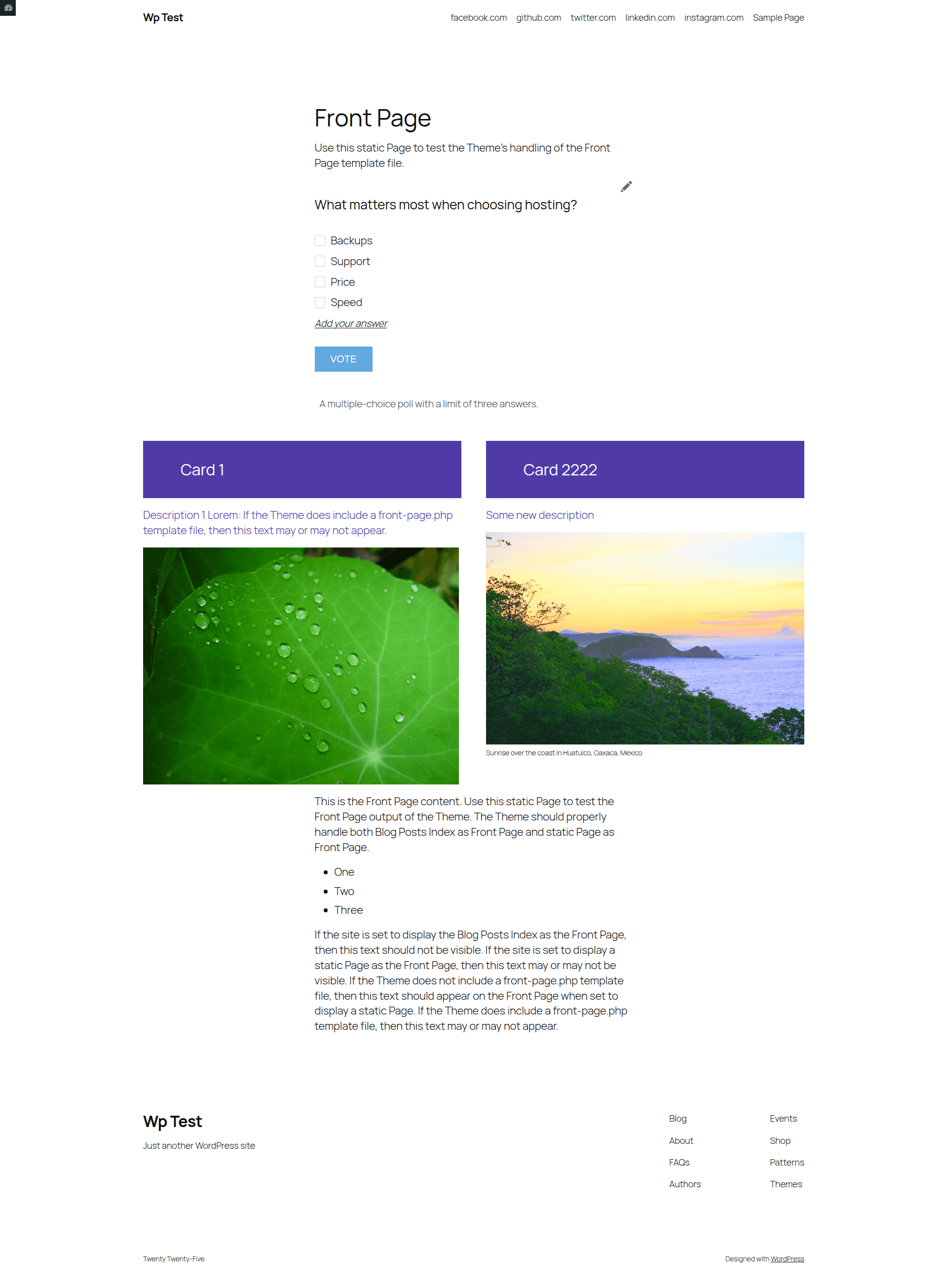
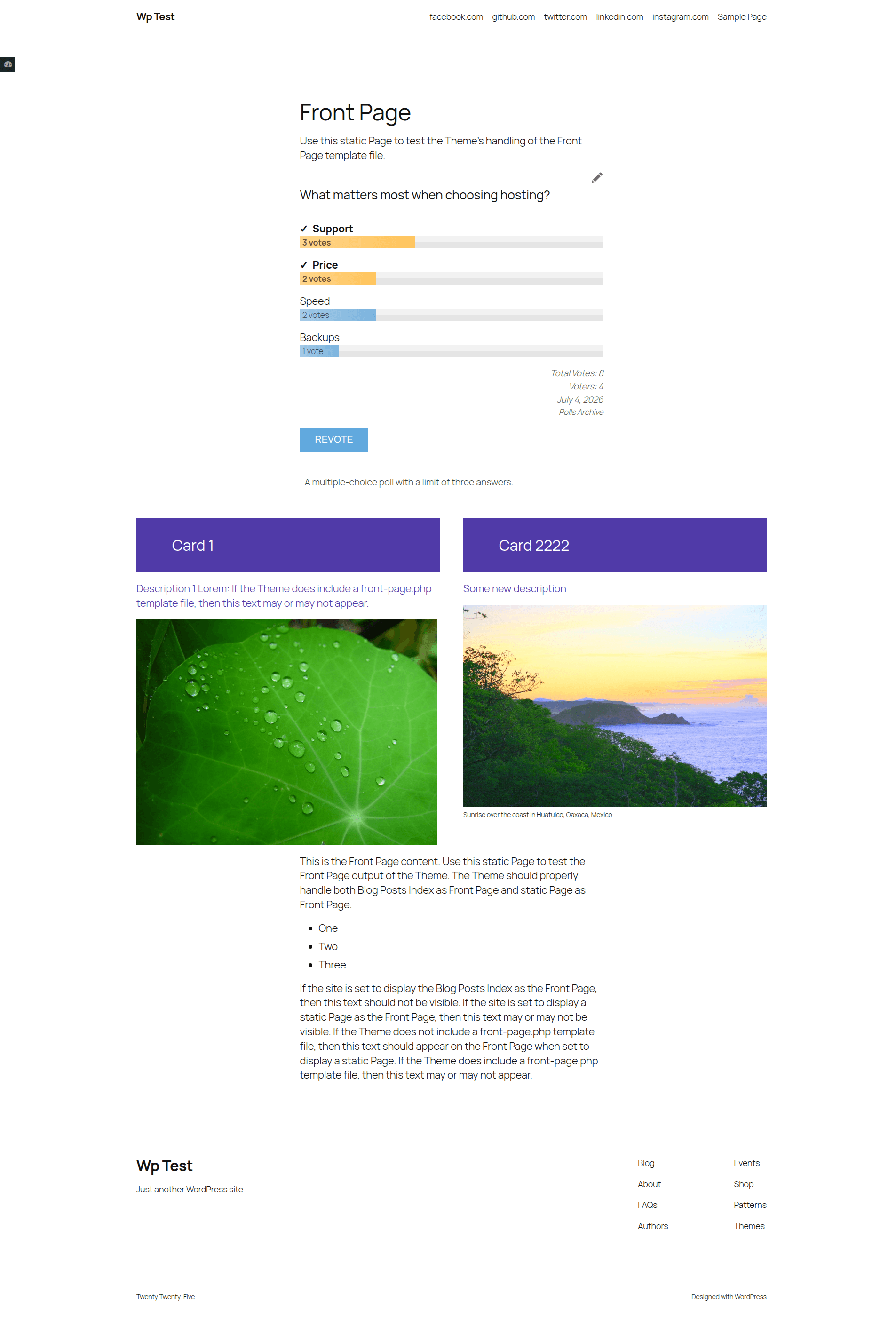
Create your first poll
- Open Democracy Poll → Add Poll.
- Enter the poll question.
- Add at least two answers. Drag answers to change their order.
- Leave Activate this poll enabled.
- Choose optional behavior such as custom answers, revoting, multiple answers, or a closing date.
- Select Add Poll.
- Copy the displayed shortcode, for example
[democracy id="12"], into a post or page.
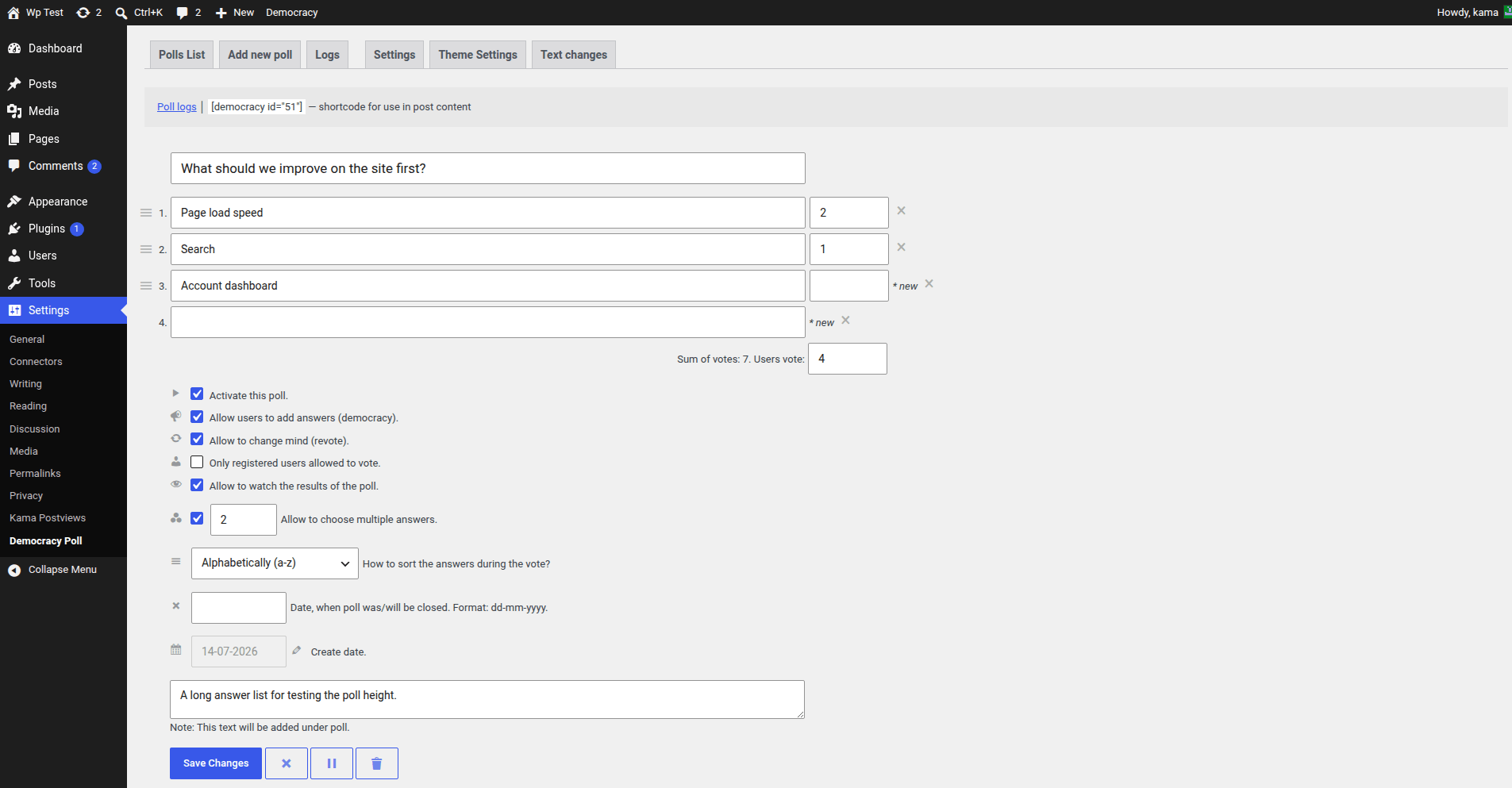
The poll ID appears in the polls list and in the shortcode shown on the edit screen. See Display polls for every placement method.
Check both states
Visit the published page in a private browser window. Check the voting screen and submit a test vote to verify the results screen.