
Settings and voting rules
Open Democracy Poll → Settings to configure defaults for all polls. Per-poll switches can override the options marked as such in the interface.
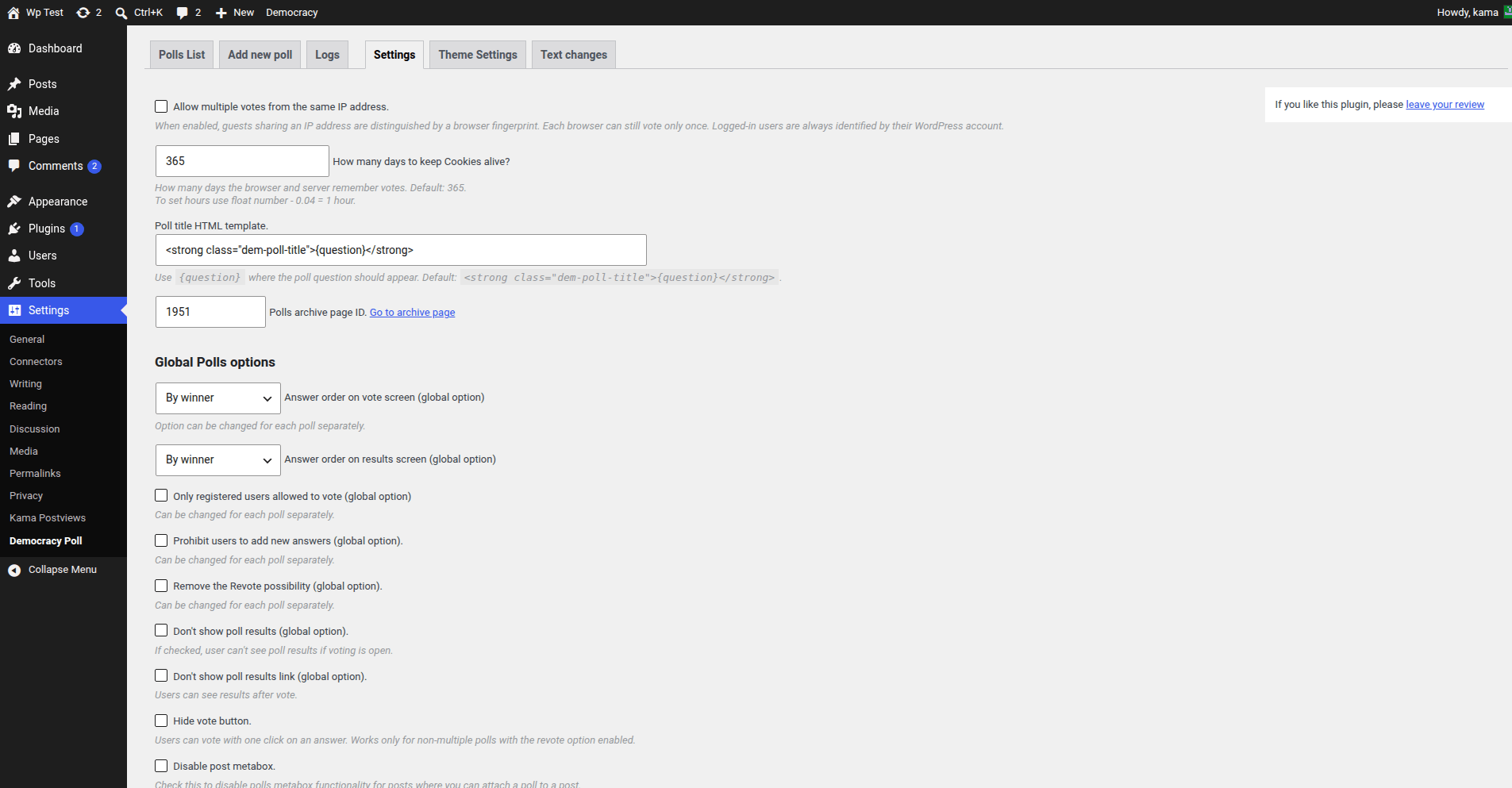
Voter identification
The plugin records vote logs and uses server-side state together with browser cookies. Logged-in visitors are identified by their WordPress user account.
By default, guests sharing an IP address may be treated as the same voter. Enable Allow multiple votes from the same IP address to distinguish guest browsers with a lightweight browser fingerprint. This allows different browsers behind the same IP to vote, but each browser can still vote only once.
Set How many days to keep Cookies alive? to control how long browser and server vote state is remembered. Decimal values are accepted; 0.04 is approximately one hour.
WARNING
Browser fingerprints and IP checks reduce casual repeat voting but do not provide strong identity verification. Avoid presenting public web polls as cryptographically secure elections.
Global poll defaults
You can set the default answer order, restrict voting to registered users, disable visitor-submitted answers, disable revoting, hide results while voting is open, hide the results link, or enable one-click voting for compatible polls.
One-click voting works only for a single-choice poll when revoting is enabled.
Page-cache compatibility
Compatibility mode is detected for supported cache plugins. Force it on when a different full-page cache serves stale poll markup. See Caching.
Access and convenience
Settings also control the admin toolbar menu, TinyMCE insert button, widget, post metabox, IP detection fallback, and roles allowed to manage the plugin. Administrators always retain access.
Use alternate IP detection only when REMOTE_ADDR is incorrect, such as with a misconfigured proxy. Trusting client-supplied headers can make vote cheating easier; configure the web server or proxy correctly when possible.